Working from home has become a common part of many people’s routines, making it important to have a dedicated and well-organized workspace. An organized home office can boost your productivity, reduce stress, and make your workday more enjoyable. Whether you’re a full-time remote worker or occasionally work from home, these tips will help you create a productive workspace tailored to your needs.
Choose the Right Location
Find a Quiet, Comfortable Spot
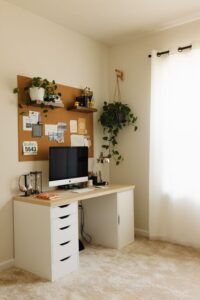
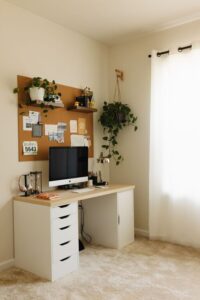
Select a space in your home with minimal distractions. This could be a spare room, a corner in the living room, or even a section of your bedroom. The key is to find a spot where you feel comfortable and can focus without interruptions.
Consider Natural Light
Try to position your desk near a window to take advantage of natural light. Proper lighting can improve your mood and reduce eye strain. If natural light isn’t an option, invest in good quality artificial lighting that mimics daylight.
Invest in Ergonomic Furniture
Select a Comfortable Chair
Since you’ll be sitting for long periods, choose a chair that supports your back well. An ergonomic chair with adjustable height and lumbar support can prevent discomfort and improve posture.
Use a Suitable Desk
Your desk should be spacious enough to hold your computer, notebooks, and other essentials comfortably. If possible, opt for a desk at the right height so your wrists and arms rest naturally while typing.
Declutter and Organize Your Space
Keep Only Essentials on Your Desk
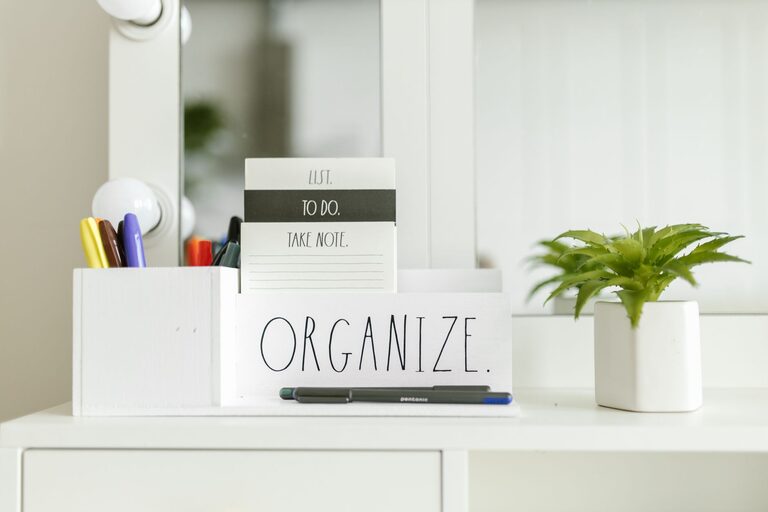
A clutter-free desk can help clear your mind. Keep only what you use daily within reach, such as your computer, notebook, pens, and a water bottle. Store other items in drawers or shelves.
Use Storage Solutions
Boxes, baskets, and drawer organizers are great for sorting papers, cables, and office supplies. Label your storage so you can easily find what you need.
Go Digital When Possible
Reduce paper clutter by scanning important documents and saving them digitally. Use cloud storage services to keep your files organized and accessible from multiple devices.
Establish Functional Zones
Create Dedicated Areas for Different Tasks
If your workspace allows, divide it into zones. For example, one area could be for computer work, another for note-taking or brainstorming, and a third for reading or reviewing documents.
Keep Charging Stations Organized
Set up a small charging zone for your phone, tablet, and other devices. This helps avoid tangled cables and keeps your workspace neat.
Enhance Focus and Motivation
Minimize Distractions
Turn off non-essential notifications on your phone and computer. Use noise-cancelling headphones or play soft background music to help maintain concentration.
Personalize Your Space
Add a few personal touches like a plant, a photo, or inspiring quotes. These can make your workspace more inviting without overcrowding it.
Set Boundaries
Communicate your work hours to family or roommates. If possible, use a door or divider to separate your workspace and signal when you are working.
Maintain Cleanliness and Order
Establish a Daily or Weekly Routine
Spend a few minutes each day straightening your desk and filing away papers. A weekly deep clean can help keep your equipment dust-free and your space tidy.
Regularly Review and Purge
Periodically assess your supplies and documents. Remove anything that’s outdated or no longer needed to maintain an efficient workspace.
Use Technology to Your Advantage
Organize Your Digital Workspace
Keep your computer desktop and files organized with clear folders and meaningful file names. Use calendar apps and task managers to plan your day effectively.
Invest in Productivity Tools
Consider using apps that block distracting websites or remind you to take breaks. These tools can improve time management and prevent burnout.
Prioritize Comfort and Health
Take Breaks and Move
Set alarms to remind yourself to stand, stretch, or walk around every hour. Movement helps reduce fatigue and improves circulation.
Stay Hydrated and Nourished
Keep water nearby and plan healthy snacks to maintain your energy levels throughout the day.
—
Creating a productive home workspace is about balancing comfort, organization, and functionality. By following these tips, you can design a space that supports your work habits and nurtures your well-being. With a little effort, your home office can become a place where you feel motivated, focused, and ready to tackle your tasks efficiently.