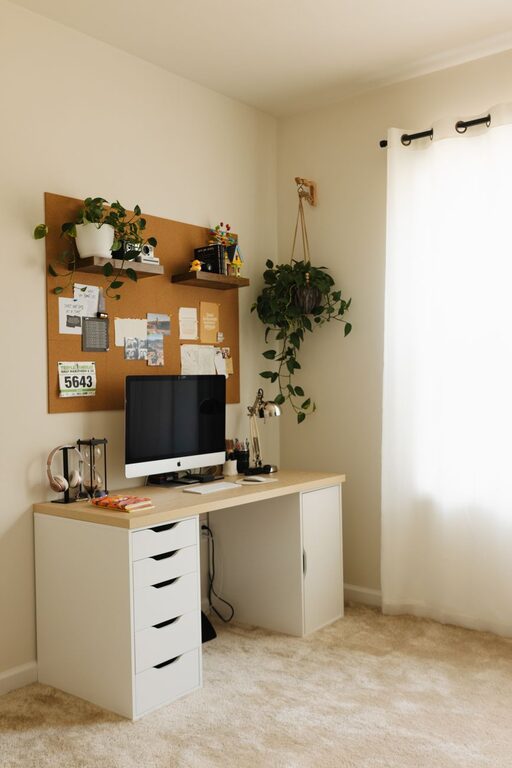
Creating a home office that feels both cozy and functional is key to maintaining productivity and comfort while working from home. Whether you have a dedicated room or a corner in your living space, thoughtful design can make a significant difference in your daily work experience. Below are practical tips to help you design a home office that balances comfort with efficiency.
Choose the Right Location
Assess Space and Privacy
Start by identifying a spot in your home that offers enough space for your desk and chair. Ideally, select an area with minimal distractions to help you focus. If privacy is crucial, consider using room dividers or screens to separate your workspace from busy household areas.
Prioritize Natural Light
Natural light can boost your mood and reduce eye strain. Position your desk near a window if possible. However, avoid glare on your computer screen by angling your desk or using blinds and curtains.
Select Ergonomic Furniture
Invest in a Comfortable Chair
Since you’ll be sitting for long periods, a supportive chair with adjustable height and lumbar support is essential. This helps maintain good posture and reduces the risk of back pain.
Choose a Practical Desk
Look for a desk with enough surface area for your computer, supplies, and any other tools you use regularly. Consider options with built-in storage or add organizers to keep your workspace tidy.
Optimize Lighting
Use Multiple Light Sources
In addition to natural light, incorporate various lighting options like desk lamps, overhead lights, and floor lamps. Adjustable lighting helps reduce eye strain and creates a cozy ambiance.
Select Warm Light Bulbs
Warm, soft lighting can make your office feel inviting. Avoid harsh fluorescent lights, which may be tiring over time.
Keep the Space Organized
Utilize Storage Solutions
Use shelves, drawers, and baskets to keep documents and supplies organized. Label storage containers to quickly find what you need.
Declutter Regularly
A tidy workspace enhances focus. Set aside a few minutes each day to clear away unnecessary items and straighten up.
Personalize Your Workspace
Add Decorative Elements
Incorporate artwork, plants, or personal photos to make the space feel welcoming. Plants not only improve aesthetics but can also boost air quality and mood.
Choose a Color Scheme
Select calming colors like soft blues, greens, or neutrals to create a soothing environment. Avoid overly bright colors that may distract you.
Create Functional Zones
Separate Work from Relaxation
If space allows, designate different areas for specific tasks, such as a reading nook or a table for brainstorming. This helps keep your mind focused during work hours.
Manage Cables and Electronics
Use cable organizers and power strips to keep cords tidy and prevent hazards. This keeps your workspace clean and functional.
Incorporate Technology Efficiently
Use Quality Equipment
Invest in reliable technology such as a fast computer, ergonomic keyboard, and high-resolution monitor. This reduces frustrations and increases efficiency.
Set Up a Printer or Scanner Nearby
If your work requires physical documents, having these devices within reach saves time and keeps workflow smooth.
Take Breaks and Move Around
Designate a Spot for Stretching
Include a small area where you can stand, stretch, or do light exercise. Moving periodically helps maintain energy and reduces stiffness.
Use Timers or Apps
Set reminders to take short breaks throughout the day. This supports focus and overall well-being.
—
By following these tips, you can create a home office space that feels inviting and supports your productivity. Remember that a well-designed office is a blend of comfort, organization, and personal touch — helping you enjoy your work-from-home routine with ease.