Creating a home office that is both cozy and productive can transform the way you work from home. A well-designed workspace helps maintain focus, reduces stress, and encourages positive work habits. Whether you have a dedicated room or just a small corner, these tips will help you set up a home office that feels inviting and supports your productivity.
Choose the Right Location
Consider Natural Light
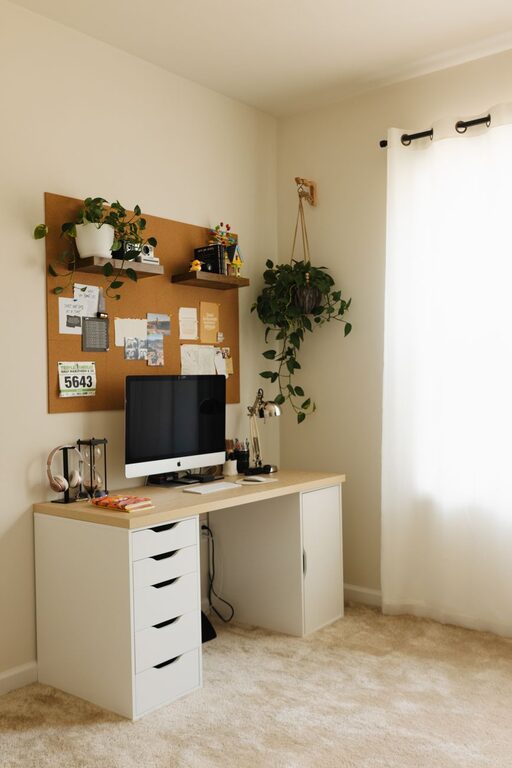
Natural light is one of the easiest ways to boost mood and energy levels. Try to position your desk near a window to take advantage of daylight. This not only reduces eye strain but also makes your workspace feel more pleasant.
Minimize Distractions
Select a quiet area away from noisy parts of your home, such as the living room or kitchen. If space is limited, use room dividers or curtains to create a physical and mental boundary between work and home life.
Invest in Comfortable Furniture
Ergonomic Chair
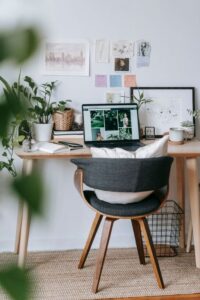
A supportive chair is essential to avoid back pain and maintain comfort during long hours of sitting. Look for chairs with adjustable height, lumbar support, and breathable fabric.
Desk That Fits Your Needs
Choose a desk that fits both your space and how you work. If you use multiple monitors, ensure it has enough surface area. Adjustable desks that allow sitting and standing are also great for comfort and health.
Organize Your Workspace
Declutter Regularly
Keep only essential items on your desk to avoid distractions. Use organizers, trays, or drawer dividers to store supplies neatly and within reach.
Use Vertical Space
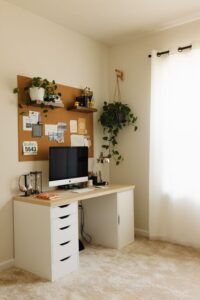
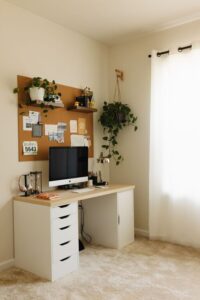
Wall shelves, pegboards, or corkboards can store documents, tools, and notes without taking up desk space. This helps keep your work area tidy and visually pleasant.
Personalize Your Space
Add Cozy Elements
Incorporate items that make your office feel homey, such as a soft rug, cushions, or a throw blanket. Plants can also add both color and improve air quality.
Choose Calming Colors
Paint or decorate your workspace with colors that promote focus and relaxation. Soft blues, greens, and neutral tones tend to create a peaceful atmosphere.
Optimize Lighting
Combine General and Task Lighting
Use overhead lights for overall illumination plus a desk lamp focused on your work area. Adjustable lamps allow you to control brightness and reduce shadows on your screen or paperwork.
Avoid Glare
Position lighting and monitors to minimize reflections. Consider using anti-glare screen protectors or curtains on windows if needed.
Keep Technology Efficient and Tidy
Cable Management
Use cable clips, sleeves, or ties to organize wires. This not only improves the look of your space but also prevents tripping hazards and equipment damage.
Upgrade Equipment
Reliable, up-to-date technology helps avoid frustration and productivity drops. Ensure you have a fast internet connection and dependable devices suitable for your tasks.
Establish Boundaries and Routine
Set Working Hours
Designate specific times for work to help separate professional and personal life. Communicate these hours with family or housemates to minimize interruptions.
Create Routine Habits
Start your day with a consistent routine that prepares you mentally for work, like having coffee or reviewing your to-do list. Taking regular breaks to stretch or walk can also increase efficiency.
Maintain a Healthy Environment
Air Quality and Temperature
Good ventilation and comfortable room temperature support concentration. Consider using an air purifier or fan if needed.
Move and Stretch
Incorporate movement into your day to reduce stiffness and boost energy. Simple stretches or short walks can make a big difference.
—
Creating a cozy and productive home office is all about blending comfort with function. By thoughtfully arranging your space, investing in quality furniture, and establishing good routines, you can make working from home enjoyable and efficient. Remember, your workspace should reflect your personal preferences and needs, so feel free to experiment and adjust as you go.