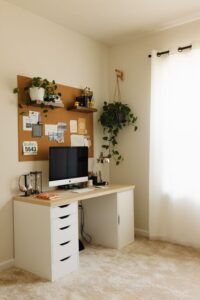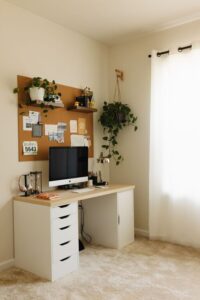

Creating a dedicated home workspace that is both organized and productive can make a significant difference in your daily work routine. Whether you work from home full-time or need a space for occasional tasks, a well-designed area helps minimize distractions and keeps your focus sharp. In this post, we’ll explore practical tips to help you set up and maintain an efficient home workspace.
Why an Organized Workspace Matters
Having a clutter-free and well-arranged workspace benefits your productivity in many ways:
– Reduces Stress: A tidy space makes it easier to concentrate and feel calm.
– Saves Time: Easily finding what you need cuts down on wasted minutes.
– Improves Efficiency: An organized area encourages better workflow and creativity.
By investing time in setting up your workspace, you create an environment that supports your best work.
Choosing the Right Location
Consider Natural Light
If possible, set up your workspace near a window. Natural light can help reduce eye strain and improve mood. If natural light is limited, invest in good quality desk lamps or overhead lighting.
Minimize Distractions
Pick a quiet corner away from high-traffic areas in your home. If noise is unavoidable, noise-canceling headphones or white noise machines can help.
Think About Space and Comfort
Make sure your workspace has enough room for your computer, paperwork, and any other tools you use. Comfort is key — ensure your chair and desk height support good posture.
Essential Elements for a Productive Workspace
Ergonomic Chair and Desk
Invest in an adjustable chair with lumbar support to prevent back pain. Your desk should allow your arms to be at a comfortable 90-degree angle when typing.
Organized Storage Solutions
Use drawers, shelves, or desk organizers to keep your supplies tidy. Label containers and files for quick access.
Technology Setup
Keep cords and cables organized using clips or sleeves to avoid tangles. Position your monitor so it’s at eye level to reduce neck strain.
Tips to Maintain an Organized Workspace
Daily Decluttering
Spend 5 to 10 minutes at the end of each workday clearing your desk. Put away any items that don’t belong and file documents.
Use a Task Management System
Whether digital or paper-based, tracking your to-do list helps you stay on top of tasks and deadlines.
Personalize Thoughtfully
Add a few personal touches like photos or plants to make your space inviting without overcrowding it.
Boosting Productivity in Your Home Workspace
Establish a Routine
Set regular working hours and breaks to maintain focus and prevent burnout.
Limit Digital Distractions
Turn off unnecessary notifications and use apps or browser extensions that block distracting websites during work periods.
Take Breaks and Move
Stand up, stretch, or take short walks to refresh your mind and body throughout the day.
Organizing Your Digital Workspace
Keep Your Desktop Clean
Organize files into folders and delete items you no longer need.
Use Cloud Storage
Back up important documents to cloud services for easy access and security.
Manage Emails Efficiently
Set specific times to check emails to avoid constant interruptions.
Final Thoughts
Creating an organized and productive home workspace doesn’t have to be complicated or expensive. By choosing the right location, investing in ergonomic furniture, keeping clutter under control, and establishing good habits, you can build a space that supports your work and well-being. Remember, the goal is to create an environment tailored to your needs that helps you perform at your best every day.
Start today by identifying one small change you can make to improve your home workspace, and build from there!